Can You Wash A Mousepad? Hand Vs Machine Washing, Drying Techniques, And Tips
Your mouse pad collects oils, dust, and grime over time, affecting both hygiene and tracking performance. Fortunately, most modern mouse pads are washable, but the correct cleaning method depends on the material.
In this guide, we delve into whether mousepads are machine washable or should be hand-washed to help you prevent damage and enjoy long-lasting comfort and precision.


Key Takeaways
- Most cloth and rubber mouse pads are washable, but RGB or hard-surface models require extra caution.
- Machine washing should use a cold, gentle cycle with mild detergent to protect the pad.
- Air drying is much safer than using a dryer, which may warp or peel the surface.
- We supply high-quality custom mouse pads in a range of sizes, styles, shapes, and materials, so you can get the right solution with your preferred maintenance method.
Table of contents
-
Can You Wash A Mousepad?
-
Can You Put A Mousepad In The Washer?
-
Can You Put A Mousepad In The Dryer?
-
How To Clean A Mouse Pad Without Damaging It?
-
What Cleaning Agents Are Safe For Mouse Pads?
-
Can You Use Isopropyl Alcohol To Clean A Mouse Pad?
-
Do You Need To Wash A Mouse Pad Regularly?
-
Will Washing A Mouse Pad Ruin It?
-
Does Cleaning A Mouse Pad Improve Gaming Performance?
Can You Wash A Mousepad?
Many people wonder whether you can wash a mouse pad. The short answer is that you can - most standard cloth or rubber-based pads can be safely cleaned. However, there are other types to think about - you might need to know whether you can wash mouse pads that contain:
- Plastic
- Leather
- RGB lighting
In many cases, the answer to these will be no.
The material determines whether washing is safe. Washing removes grime and oils that slow mouse glide and impact accuracy. Signs that it's time to clean include discoloration, odor, or visible buildup.
Whether you have a custom shape die cut mouse pad made from polyester or anything else in 2026, hand washing or machine washing could be an option. Ensure gentle treatment to preserve shape and texture.
Can You Put A Mousepad In The Washer?
It is possible to put a mouse pad in the washer if it is made of cloth or neoprene without any electronics built in. It is strongly recommended that you use a gentle or delicate cycle with cold water and mild detergent - never bleach.
Those asking whether you can wash a mouse pad in the washing machine are urged to avoid things like:
- High temperatures
- Heavy agitation
These things could cause the mouse pad to peel. For printed or gaming pads, place them in a mesh laundry bag to protect the surface. If you use a custom rectangle table cover in place of a mouse pad, check the care instructions for washing machine compatibility.
Always avoid harsh chemicals and consult the manufacturer’s cleaning guidance before you wash.
|
Material Type |
Can You Machine Wash It? |
Best Cleaning Method |
Drying Method |
Special Notes / Cautions |
|
Cloth / Fabric |
Yes — gentle cold cycle |
Mild soap + cold water (hand or washer) |
Air dry flat, away from heat |
Avoid wringing or twisting to prevent warping. |
|
Neoprene / Rubber-base |
Yes — gentle cold cycle |
Hand wash or delicate cycle |
Air dry flat |
Use mesh laundry bag if machine washing to prevent peeling.Never submerge; avoid abrasive cleaners. |
|
Plastic / Hard Surface |
No |
Wipe with damp microfiber + mild detergent |
Pat dry |
Keep away from direct sunlight; condition periodically. |
|
Leather |
No |
Spot-clean with leather cleaner or damp cloth |
Air dry at room temperature |
Avoid high spin or heat; may shrink if overheated. |
|
Felt |
Yes — gentle cold cycle |
Machine wash or hand wash with mild soap |
Air dry flat |
|
|
RGB / Electronic Pads |
No |
Unplug, remove electronic components, wipe with slightly damp cloth |
Air dry completely before reconnecting |
Never immerse — risk of electrical damage. |
Can You Put Mouse Pads In The Washing Machine With Other Clothes?
While many mouse pads can go in the washing machine, it is best not to mix them with clothing, particularly if you have dark or lint-heavy fabrics. Some professional mouse pads are machine washable - check care instructions - but washing with towels or dyed garments could cause fibers or color transfer.
If you really have to combine loads, we recommend using similar materials and washing on a gentle setting. Always ensure the mouse pad in the washing machine has enough space to move freely to ensure it gets cleaned effectively.
After washing, rinse thoroughly to remove detergent residue that might affect texture or tracking smoothness. Then, leave it to air dry away from direct sunlight.
Looking for durable mouse pads that resist dirt?
Our custom rectangle mouse pads can be fully personalized and the polyester fabric is easy to maintain.
Can You Put A Mousepad In The Dryer?
In virtually all cases with mouse pads, it is best to avoid using a dryer. For anyone asking whether you can put a mousepad in the dryer, you need to understand that heat can cause issues like:
- Warped rubber bases
- Weakened adhesive layers
- Distorted fabric
Instead, we recommend that you gently pat dry with a towel before laying the pad flat in a well-ventilated area for 24 to 36 hours. Air drying preserves the structure and helps to maintain a smooth surface, so it is by far the better choice.
For RGB models, never expose the electrical components to direct heat or moisture. If possible, remove those components before carefully cleaning and drying the pad and returning them later.
Our online store offers custom gaming mouse pads and various other varieties that are easy to maintain and designed to withstand the rigors of daily use and regular cleaning.
How To Dry A Mouse Pad Properly?
To dry a mousepad safely, the first step is to blot excess water away with a clean towel after washing. Avoid wringing or twisting, as this could leave permanent creases in the mouse pad. After this, place the mouse pad on a flat surface in a shaded area with good air flow and allow it to air dry.
Direct sunlight and high heat can cause designs to fade and adhesives to degrade. You may be able to speed up the drying process by pressing it with a towel periodically. Don’t reuse the pad until it feels completely dry.
Proper drying prevents issues like:
- Mold growth
- Curling
- Deformation
Studies have found that there may not be a link between gaming precision and use of a mouse pad, but consistent glide and durability are important to get the best possible experience from your mouse.
How To Clean A Mouse Pad Without Damaging It?
To clean a mouse pad without damage, the first thing you need to do is identify the pad’s material. The most common materials are a type of cloth or a form of plastic:
- Cloth pads: These respond well to mild soap and cold water.
- Plastic pads: Hard surfaces benefit from a damp microfiber cloth.
If you have a printed surface, avoid scrubbing too hard. For light cleaning, you should spot-treat oily areas every week. For a deeper clean, wash thoroughly every few months.
Regular upkeep maintains optimal sensor performance and prevents bacteria buildup. Mouse pad material quality is important, and upkeep helps preserve that quality for longer. Whether you wash mouse pads in the washer or by hand, always use mild detergent and rinse thoroughly.
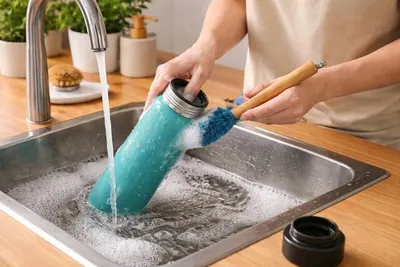
How To Wash A Mouse Pad By Hand?
To hand wash your mouse pad, you will need a basin, a soft sponge, and some mild dish soap. Studies have found that bacterial contamination of computer keyboards and mice can be extensive, so keeping your mouse pad clean will help.
Here is the process:
- Fill your basin with cold or lukewarm water.
- Add a drop of mild dish soap or shampoo.
- Submerge the mouse pad and gently rub its surface with the soft sponge or brush.
- Rinse with clean water until all the soap is gone.
- Blot with a towel and lay flat to air dry.
When rubbing the surface, focus on stained areas without excessive pressure. Hand washing is ideal for custom-printed or stitched-edge pads, offering excellent results while protecting design integrity and material quality.
What Cleaning Agents Are Safe For Mouse Pads?
Mild dish soap or shampoo works best for both cloth and rubber pads. It is possible to use isopropyl alcohol sparingly on hard, non-fabric surfaces for disinfecting if needed, but it should never be applied to printed or coated mouse pads.
Leather mouse pads are good for gaming, but they require special upkeep. On this and various other surfaces, harsh chemicals can discolor surfaces and weaken adhesives. Avoid:
- Bleach
- Solvents
- Abrasive cleaners
These things may be good for cleaning in general, but they are not suitable for use with delicate items.
When deciding how to wash a mousepad in a washing machine or by hand, always opt for gentle, non-corrosive cleaning agents that maintain texture. These will help prolong lifespan while keeping the surface area bacteria-free.
Want a mouse pad you can put in the washing machine?
With our custom felt mouse pads, you can simply put them through a gentle wash cycle to keep them looking pristine.
Can You Use Isopropyl Alcohol To Clean A Mouse Pad?
If you are working on non-fabric or plastic pads, isopropyl alcohol is a great way to remove oil and disinfect surfaces. However, if you are wondering whether you can clean a mousepad with alcohol, you should know that it should be kept away from cloth or printed designs, as it will:
- Strip protective coatings
- Fade colors
Studies have found that isopropyl alcohol is highly effective for disinfecting surfaces. But, when it cannot be used, the best option is to use diluted soap and water for fabric pads. Alcohol cleaning is best reserved for office-grade or hard-surface models.
With these types of mouse pads, quick drying and sterilization are more important than preserving complex designs or maintaining consistent textures. If you want to use isopropyl alcohol in these environments, it will work well.
Do You Need To Wash A Mouse Pad Regularly?
It is a good idea to wash a mouse pad regularly. Dirt, sweat, and oils will gradually accumulate, impacting performance and hygiene. For heavy users, wash monthly; casual users are recommended to wash every few months.
We recommend that you clean immediately if you notice things like:
- Visible stains
- Odors
- Stickiness
Whether you wash a mousepad in the washer or by hand, regular care ensures smooth cursor movement, improved accuracy, and better long-term comfort. It is also important to maintain and clean other things in your work- or game-space, like custom neon signs.
Proper maintenance will extend the lifespan of your pad, keeping its colors bright and texture even after repeated use. Ultimately, these are important considerations for your mouse pads, especially if you have one that you are very fond of.
Enjoy a high-quality, sophisticated mouse pad
Though the maintenance may be more complicated, our custom leather mouse pads are perfect for offices and professional spaces.
Get startedWill Washing A Mouse Pad Ruin It?
If you do it correctly, you should not have to worry about ruining your mouse pad by washing it. The question of whether mouse pads can be washed safely depends primarily on the pad’s material. It is worth noting that scientists have discovered that certain additives and chemical allergens in commercial mouse pads can be dangerous to some, so take care.
Cloth and rubber pads usually handle gentle cleaning well, while rigid or RGB pads require more care. Avoid things like:
- Hot water
- Harsh scrubbing
- Drying machines
These are all things that can cause peeling and warping.
Whatever cleaning methods or agents you use, always take the step of testing on a small area before you commit to washing the entire surface. With proper technique, washing restores performance and appearance without compromising quality or design integrity.
What Precautions Should You Take Before Washing?
Before you move on to cleaning, unplug RGB or wired pads to prevent short-circuiting. Check edges for stitching or glued seams that might loosen when wet. It is vital that you identify any vulnerable areas and take measures to protect them before cleaning.
Here are some more tips:
- We recommend that you always read the manufacturer’s label for care instructions before you proceed.
- If you are uncertain about anything, test your cleaning methods on a small section.
- Avoid submerging any electrical components.
- Never twist or fold the pad.
If you follow these simple precautions, you will ensure that washing remains safe and preserves both the appearance and function of your mouse pad. This will enable you to carry out multiple cleanings with peace of mind.

Does Cleaning A Mouse Pad Improve Gaming Performance?
Anecdotally, there are many gamers who will say that cleaning a mouse pad improves gaming performance. Over time, accumulated oils and debris can interfere with your mouse sensor, leading to inconsistent tracking that undermines your gaming performance.
Cleaning your pad restores a uniform surface, which results in benefits like:
- Improved precision
- Smoother glide
- Enhanced comfort
Gamers who frequently ask whether you can wash a mouse pad in the washer are doing this for a reason - clean pads perform better than dirty ones. Regular washing reduces friction, minimizes drag, and prevents pointer lag. Keep your custom acrylic mouse pad clean and you will also enjoy healthier wrist posture and smoother movement.
Frequently Asked Questions About Can You Wash Mouse Pads
Can You Wash A Mouse Pad Safely?
Yes, most mouse pads can be safely washed by hand or in a washing machine, provided you use mild detergent, cold water, and avoid heat drying.
Are Mouse Pads Machine Washable?
Yes, many cloth and rubber mouse pads are machine washable. Just use a gentle cycle and allow them to air dry flat for best results.